Engineers and hobbyists often open a parts datasheet expecting clear limits, then get stuck interpreting curves and footnotes. This guide offers a step‑by‑step method to extract practical limits from the LMV321B-TR datasheet, turning typical plots into actionable numbers for headroom, bandwidth, bias, and noise. It promises a concise checklist to avoid the common mistakes that silently break low‑voltage designs.
The approach emphasizes scanning the summary table, identifying which figures are typical versus guaranteed, and reading axis units and test conditions before trusting any curve. Readers will learn to translate figure captions into design constraints and to apply a repeatable verification flow during schematic review and bench debugging.
1 Background: Why LMV321B-TR matters for low-voltage designs
Key specs at a glance
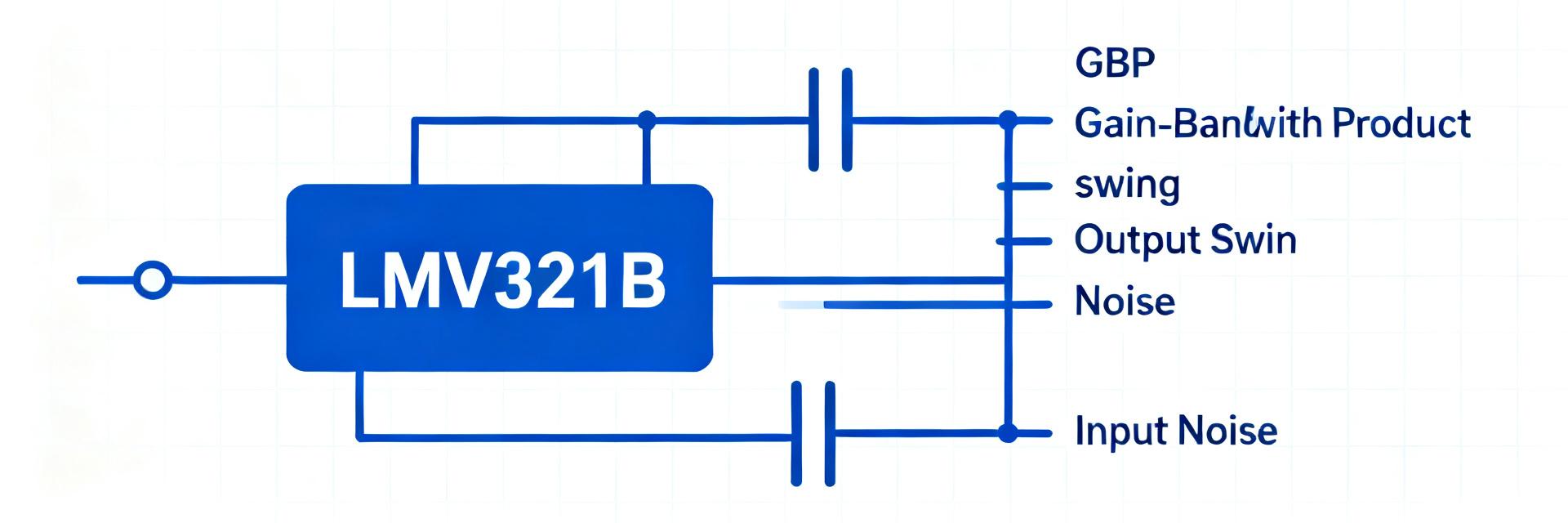
Point: Start with the datasheet's summary table to capture supply range, rail‑to‑rail I/O claim, quiescent current, and gain‑bandwidth product. Evidence: The summary table lists supply voltage limits, typical Iq, and GBP entries you must note. Explanation: These values set the first pass feasibility—if supply or Iq exceed system allowances, the part is out before deeper graph reading.
Typical use cases and constraints
Point: Match part claims to application needs: sensor front ends, low‑power buffer, or audio preamp. Evidence: Typical application notes and recommended uses in the datasheet indicate strengths and limits. Explanation: Use a quick go/no‑go checklist: acceptable supply range, required bandwidth, load drive, and offset budget. If any fail, select another amplifier or adjust system specs.
2 Datasheet layout: where the graphs and limits live
Common sections to scan first (Electrical Characteristics, Graphs, Test Conditions)
Point: Know where to look: summary table, Electrical Characteristics, typical performance graphs, and test condition notes. Evidence: Datasheets consistently group guaranteed min/max in the Electrical Characteristics table and show typical behavior in figures labeled “Typical Performance.” Explanation: Bookmark the table pages and figure numbers, and cross‑reference each plotted curve with its test conditions before using numbers in calculations.
Reading footnotes, test conditions and “typical” vs “limits”
Point: Footnotes and axis labels change meaning—typical curves are measured at specific Vcc, RL, and temperature while limits are guaranteed across production. Evidence: Captions like “Vcc = 5 V, RL = 10 kΩ” or footnote letters appear on figures. Explanation: Always check whether a plotted line is “typical” (statistical example) or tied to a specified min/max in the Electrical Characteristics; use guaranteed limits for worst‑case calculations.
3 Key graphs decoded: what each graph really tells you
Frequency response & gain-bandwidth (GBP) graph
Point: Read gain vs frequency to find GBP and the 0 dB crossover. Evidence: The log frequency axis and gain curves give open‑loop gain roll‑off and unity gain point. Explanation: Compute closed‑loop −3 dB bandwidth by dividing GBP by closed‑loop gain.
Output swing, load dependence & short-circuit current
Point: Output swing plots show headroom to rails versus load. Evidence: Figures titled “Output voltage swing vs RL” plot Vout vs supply and RL. Explanation: For a given supply, read worst‑case headroom to compute maximum undistorted amplitude.
Input-related & Noise plots
Point: Input error sources and noise determine signal integrity. Evidence: Drift vs temperature and Noise density curves. Explanation: Integrate noise density across bandwidth to get RMS noise; inspect phase margin for stability.
4 Reading electrical limits and worst-case design
Interpreting min/max columns and derating
Point: Use guaranteed min/max values for worst‑case design, not typical curves. Evidence: The Electrical Characteristics table provides specified limits often across temperature and supply ranges. Explanation: Create a short table of critical guaranteed limits to design to those values.
| Parameter | Design Use |
|---|---|
| Supply voltage min | Lowest acceptable Vcc for guaranteed operation |
| Input common‑mode | Ensure sensor outputs stay in range |
| Output swing (min guarantee) | Compute worst‑case amplitude into RL |
| Quiescent current (max) | Battery life / thermal planning |
5 Step-by-step worked example + practical checklist
Worked example: choose supply, closed-loop gain, and load
Point: Walk through a concrete spec verification using datasheet graphs. Evidence: Start from required specs—Vcc = 3.3 V, RL = 10 kΩ, required BW = 100 kHz, output ±0.5 V—and read the GBP, output swing, and phase margin plots. Explanation: If GBP yields closed‑loop BW >100 kHz at your gain, and the output swing graph shows the amplifier can reach ±0.5 V into 10 kΩ at 3.3 V, the part is acceptable.
Quick design & debugging checklist
- Verify test conditions (Vcc, Temp, RL) match your target environment.
- Compute worst‑case errors from guaranteed limits rather than typicals.
- Simulate with pessimistic parameters for bias, offset, and swing.
- If stability issues occur, inspect phase margin and capacitive load behavior.
Summary
Reading the LMV321B-TR datasheet effectively is a process: identify the summary specs first, then verify every plotted curve against its test conditions and whether it is typical or guaranteed. Translate gain‑bandwidth plots into closed‑loop bandwidth, use output‑swing and current‑limit graphs to compute headroom under load, and fold input bias and offset drifts into your error budget. Apply simple derating rules and the checklist above during schematic review to catch issues early and avoid field surprises.
FAQ
How to read LMV321B-TR graphs for bandwidth?
Read the open‑loop gain vs frequency or GBP entry, then divide GBP by desired closed‑loop gain to estimate −3 dB BW. Cross‑check with any plotted closed‑loop traces and ensure phase margin is adequate for the intended load and gain to avoid peaking or instability.
How to interpret LMV321B-TR datasheet output swing graph?
Locate the figure labeled “Output voltage swing vs RL” and note axis units and test Vcc. Use the worst‑case curve (lowest supply or heaviest load) to calculate the available peak amplitude; subtract headroom from rails to ensure required signal amplitude fits without distortion.
How to use LMV321B-TR graphs to set worst-case margins?
Always use guaranteed min/max values from the Electrical Characteristics table for margin calculations. Add 10–20% headroom on amplitude and assume some GBP reduction at elevated temperature; simulate with pessimistic bias and offset to validate worst‑case performance.